
What is a Text Features Anchor Chart?
Anchor charts visually display key concepts; a text features anchor chart helps students identify elements in nonfiction texts.
These charts offer vocabulary and real-world examples, like clippings from texts, aiding comprehension and analysis skills.
They serve as quick references during reading, boosting student engagement and understanding of informational materials.
Definition and Purpose
A text features anchor chart is a visual learning tool designed to help students recognize and understand the various components authors use in nonfiction texts to convey information effectively. Essentially, it’s a poster or display that lists and illustrates common text features, serving as a constant reference point during reading lessons and independent work.
The primary purpose of such a chart is to equip students with the vocabulary and understanding needed to navigate nonfiction materials with greater confidence. It moves beyond simply reading the words on the page, encouraging students to actively analyze how information is presented. This includes recognizing elements like headings, bold text, captions, diagrams, and glossaries.
By explicitly teaching these features, educators empower students to become more strategic readers, able to locate key information, understand complex concepts, and ultimately, improve their overall comprehension. The chart acts as a scaffold, gradually releasing responsibility to the students as they internalize these skills. It’s a foundational element in fostering strong nonfiction reading habits.

Why Use Anchor Charts for Text Features?
Anchor charts are incredibly beneficial for teaching text features because they provide a consistent visual reminder of key concepts. They transform abstract ideas into concrete, accessible information for students, fostering a deeper understanding of nonfiction texts.
Using an anchor chart specifically for text features encourages active learning. Students aren’t just told about these features; they see them displayed, often with real-world examples cut directly from books. This hands-on approach, like clippings used by Teacher Lexi Holmes, makes learning more engaging and memorable.
Furthermore, anchor charts promote independence. Students can refer to the chart during independent reading or group work, prompting them to actively seek out and analyze text features on their own. This self-directed learning builds confidence and reinforces comprehension skills. They also serve as a collaborative tool, created with student input, enhancing ownership and retention.

Key Text Features to Include on Your Chart
Essential features include headings, bold text, captions, photographs, diagrams, timelines, maps, glossaries, and indexes.
These elements enhance comprehension and provide valuable information within nonfiction texts for students.
Headings and Subheadings
Headings and subheadings are crucial organizational tools within nonfiction texts, acting as signposts for readers. They break down larger topics into smaller, more manageable sections, improving readability and comprehension.

On your anchor chart, emphasize that headings typically indicate the main idea of a section, while subheadings delve into specific aspects of that main idea. Encourage students to actively scan headings and subheadings before reading to get a preview of the content.
Explain how authors use different font sizes or styles to visually distinguish headings from regular text. A practical activity for your chart could involve providing students with text excerpts and asking them to identify the main idea conveyed by each heading.
Highlight that effective headings are concise and accurately reflect the section’s content. Students should learn to formulate questions based on headings to guide their reading and anticipate the information they will encounter. This proactive approach fosters deeper engagement with the text.
Bold Words and Italicized Text
Bold words and italicized text serve distinct but important purposes in nonfiction writing. Your anchor chart should clearly differentiate between the two. Explain that boldface typically highlights key vocabulary terms or concepts the author wants to emphasize – words students should pay close attention to.
Encourage students to create a “word wall” of bolded terms encountered in their reading, defining each term to solidify understanding. Conversely, italics are often used for emphasis, titles of works (books, articles, etc.), or to introduce foreign words.
A visual representation on the chart could show examples of each, with explanations of their function. A practical exercise involves providing students with sentences and asking them to identify why specific words are bolded or italicized.
Stress that authors don’t use these features randomly; they are deliberate choices to guide the reader’s attention and enhance comprehension. Recognizing these cues is a vital skill for active reading and information retention.
Captions
Captions are essential text features providing descriptive or explanatory information relating to an image – a photograph, illustration, or diagram. Your anchor chart must emphasize that captions aren’t merely labels; they add to understanding, offering details not explicitly stated in the main text.
Illustrate on the chart how captions answer questions like: Who? What? Where? When? Why? and How? relating to the visual. A helpful activity is to present students with images without captions and ask them to write their own, practicing concise and informative descriptions.
Then, compare their captions to the original, discussing the nuances and additional information provided. Highlight that captions often contain key vocabulary or supporting facts.
Emphasize that skilled readers actively read captions before, during, and after examining the image, integrating the information to build a more complete understanding of the topic. Captions are a powerful tool for unlocking meaning in nonfiction texts.
Photographs and Illustrations
Photographs and illustrations are visual text features that enhance understanding in nonfiction texts. Your anchor chart should clearly differentiate between the two: photographs are real depictions, while illustrations are artist renderings. Both serve to clarify concepts, provide visual evidence, or engage the reader.
Emphasize that these visuals aren’t simply decorative; they convey information. Encourage students to ask themselves: What does this image show me? How does it relate to the text? What details are highlighted?
Discuss how photographs offer a sense of realism, while illustrations can simplify complex ideas or show things that are impossible to photograph.
A practical activity involves pairing images with corresponding text excerpts, asking students to explain how the visual supports or expands upon the written information. Remind them to consider the photographer’s or illustrator’s purpose and perspective when analyzing these features;
Diagrams and Labels
Diagrams are simplified drawings showing how something works or is organized, and labels identify specific parts within that diagram. Your anchor chart should showcase various diagram types – flowcharts, cross-sections, exploded views – and explain their purpose.
Highlight that diagrams break down complex information into manageable parts, making it easier to grasp. Labels are crucial; they provide precise terminology and connect visuals to written concepts. Encourage students to trace the flow of information in a flowchart or identify components in a cross-section.
A helpful activity involves providing unlabeled diagrams and asking students to add appropriate labels based on their reading. Discuss how understanding the diagram’s structure aids comprehension.
Emphasize the importance of reading labels carefully, as they often contain key details. Explain that diagrams and labels work together to create a more complete understanding of the topic.
Timelines
Timelines visually represent events in chronological order, offering a clear sequence of happenings. Your anchor chart should illustrate different timeline formats – horizontal, vertical, and even circular – and explain how to interpret them.
Emphasize that timelines aren’t just lists of dates; they show the relationship between events. Discuss how timelines help understand cause and effect, and the progression of ideas or historical periods. Highlight key features like dates, events, and sometimes, brief descriptions.
A practical exercise involves presenting students with a jumbled list of events and asking them to arrange them on a timeline based on their reading. Encourage them to identify the starting and ending points of the timeline.
Explain how timelines can be used to track changes over time or to compare different events happening simultaneously. Understanding timelines is crucial for grasping historical context and narrative structure.
Maps
Maps are visual representations of places, offering spatial information crucial for understanding geographical contexts within a text. Your anchor chart should showcase various map types – political, physical, thematic – and explain their unique purposes.
Highlight essential map elements: the title, legend (key), compass rose, and scale. Explain how the legend decodes symbols used on the map, and how the scale indicates distances. Discuss how maps help visualize locations, movements, and relationships between places mentioned in the text.
Encourage students to analyze maps for clues about the setting, climate, or historical events. A practical activity involves locating specific places on a map referenced in a reading passage.
Emphasize that maps aren’t just about geography; they can also illustrate historical boundaries, population density, or resource distribution. Understanding maps enhances comprehension and provides a broader perspective.
Glossaries
Glossaries are alphabetical lists of key terms and their definitions found within a text, serving as a mini-dictionary for specialized vocabulary. Your anchor chart should clearly define a glossary’s purpose: to aid understanding of unfamiliar words crucial to the topic.
Illustrate how to effectively use a glossary – looking up terms as they’re encountered, rather than waiting until the end. Explain that definitions are often concise and tailored to the text’s specific context, potentially differing from general dictionary definitions.
Highlight the importance of using the glossary to clarify complex concepts and improve reading comprehension. A practical exercise could involve students identifying unfamiliar words in a passage and then finding their definitions in the glossary.
Emphasize that glossaries are particularly helpful in technical or academic texts where precise language is essential. Encourage students to create their own mini-glossaries for challenging readings.
Index
An index is an alphabetical listing of key topics and concepts covered in a book, along with the page numbers where they appear. Your anchor chart should emphasize its role as a “roadmap” to specific information within the text.
Explain how to use an index effectively: locate keywords related to your research question, then check the corresponding page numbers. Demonstrate that multiple page numbers indicate the topic is discussed in several locations.
Highlight the difference between a general topic and a specific subtopic within the index. For example, “Animals” might be a broad entry, while “Animals – Mammals” is more focused.
Stress that the index is usually found at the very end of a book. Encourage students to practice using an index to quickly locate information, rather than reading the entire text. This skill promotes efficient research and information retrieval.

Creating an Effective Text Features Anchor Chart
Effective charts utilize visual design and color-coding to highlight features. Incorporate real-world examples from texts, and encourage student involvement for deeper understanding.
Visual Design and Color Coding
A visually appealing anchor chart is crucial for capturing student attention and enhancing learning. Consider using bright, yet not overwhelming, colors to differentiate text features. For example, highlight headings in blue, bold words in green, and captions in orange.
Employ clear and concise labels alongside each feature. Utilize arrows or lines to connect the feature to its definition, creating a visual pathway for understanding.
Don’t overcrowd the chart; leave sufficient white space to prevent visual fatigue. A well-organized layout makes it easier for students to quickly locate and recall information. Teacher Lexi Holmes demonstrates this by adding “pops of color” to make vocabulary stand out.
Consider using icons or small illustrations to represent each text feature, further aiding visual learners. Consistency in color-coding across multiple charts reinforces learning and builds connections.
Using Real-World Examples
Integrating authentic examples from actual nonfiction texts dramatically improves student understanding of text features. Instead of simply defining a caption, showcase a photograph with its caption directly on the anchor chart. This provides immediate context and demonstrates practical application.
Teacher Lexi Holmes effectively utilizes this approach by having students cut out examples of text features from real books. This hands-on activity allows them to actively identify and analyze features in a meaningful way.
Collect clippings of headings, subheadings, bolded terms, diagrams, and maps. Arrange these examples on the chart, labeling each one clearly.
Encourage students to contribute their own examples, fostering a sense of ownership and collaboration. Discuss why each feature was used by the author and how it enhanced their comprehension. This reinforces the purpose and value of each element.
Interactive Elements & Student Involvement
To maximize learning, transform your text features anchor chart into an interactive tool. Instead of a static display, incorporate elements that encourage student participation and critical thinking.
Consider using lift-the-flap sections to reveal definitions or examples of each feature. Alternatively, create pockets where students can insert their own found examples from texts they are reading.
Facilitate a class discussion where students collaboratively define each feature in their own words and record these definitions on the chart. This promotes deeper understanding and retention.
Assign students the task of finding and adding new examples to the chart over time, turning it into a living document. Regularly revisit and revise the chart based on student input and discoveries, fostering a sense of ownership and continuous learning.

Activities to Reinforce Text Feature Recognition
Scavenger hunts and cut-and-paste activities boost engagement. Analyzing nonfiction texts, identifying features, and clipping examples solidifies understanding and builds skills.
Text Feature Scavenger Hunt
A Text Feature Scavenger Hunt is a dynamic activity designed to actively engage students with nonfiction texts. The core idea involves providing students with a list of text features – headings, bold words, captions, diagrams, and more – and tasking them with locating examples of each within a designated text.
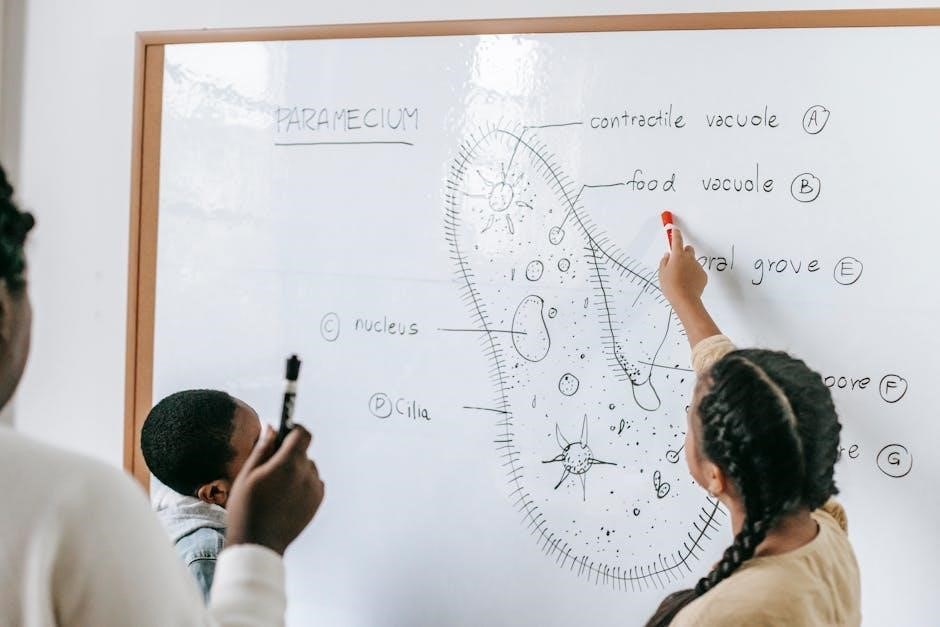
To prepare, select a variety of nonfiction texts appropriate for your students’ reading levels. Create a scavenger hunt checklist or worksheet listing the text features. Students then work individually or in small groups to “hunt” for each feature, marking its location in the text or recording details about it.
This activity reinforces recognition and understanding of how these features contribute to overall comprehension. It transforms learning into an interactive game, fostering a deeper connection with the material. Consider adding a competitive element, awarding points for each feature found, or having students explain the purpose of each feature they discover. This encourages critical thinking and discussion.
The scavenger hunt can be easily adapted to different grade levels and content areas, making it a versatile tool for reinforcing text feature skills.
Cut and Paste Activities
Cut and paste activities offer a hands-on approach to mastering text features, allowing students to physically manipulate and categorize different elements. These activities typically involve providing students with pre-cut examples of various text features – headings, captions, diagrams, and so on – sourced from actual nonfiction texts.

Students then sort these examples onto a worksheet or into designated sections, correctly identifying each feature. A variation involves providing a blank text and having students paste the features in appropriate locations to enhance its informational value. This reinforces not only recognition but also understanding of where features typically appear.

This tactile learning experience is particularly beneficial for kinesthetic learners. It’s a low-prep activity, especially when utilizing excerpts from existing texts. Teacher Lexi Holmes demonstrates this by using real text clippings, providing authentic examples for students to analyze and paste.
Cut and paste activities promote active participation and solidify understanding of how text features function within nonfiction texts.
Analyzing Non-Fiction Texts
Analyzing nonfiction texts is the ultimate goal when teaching text features, moving beyond simple identification to deeper comprehension. After introducing the anchor chart and practicing with activities like cut-and-paste, students should apply their knowledge to authentic texts.
This involves providing students with a nonfiction passage and guiding them to actively locate and analyze the various text features present. Encourage them to ask questions like: “How does the heading help you predict what this section is about?” or “What additional information does the caption provide about the photograph?”
Teaching with a Mountain View suggests collecting clippings and then asking students to describe the information gained from each feature. This collaborative discussion fosters critical thinking and reinforces the purpose of each element.
Analyzing texts helps students understand how authors use features to organize information and enhance understanding, ultimately improving reading comprehension skills.

Resources for Text Features Anchor Charts (PDFs)
Numerous online resources offer free printable anchor charts and paid bundles for text features. Websites like Made By Teachers and Crafting Connections provide downloadable PDFs.
Free Printable Anchor Charts
Locating free, high-quality printable anchor charts for text features is surprisingly accessible! Several educational websites and teacher blogs generously offer these resources as free downloads. Crafting Connections, for instance, provides a freebie – four text feature examples ready to be glued onto your own anchor chart, offering a fantastic starting point.
These free charts typically cover essential text features like headings, subheadings, captions, bold text, and illustrations. They often feature colorful designs and clear definitions, making them visually appealing and easy for students to understand. Many are available as PDFs, ensuring easy printing and compatibility across different devices.
A quick online search using keywords like “free text features anchor chart PDF” will yield a wealth of options. Teachers Pay Teachers also has a selection of free anchor charts contributed by other educators. Remember to preview the chart to ensure it aligns with your curriculum and teaching style before using it in the classroom. Utilizing these free resources can significantly reduce preparation time and enhance your lessons!
Paid Anchor Chart Bundles
For educators seeking comprehensive resources, paid anchor chart bundles offer a significant advantage. Platforms like Made By Teachers showcase bundles specifically designed to reinforce reading skills, including detailed anchor charts focused on point of view and, by extension, text features. These bundles often go beyond simple charts, incorporating posters, task cards, and accompanying worksheets.
Investing in a paid bundle typically provides higher-resolution graphics, more extensive coverage of text features, and professionally designed layouts. Bundles frequently include multiple versions – full-color and black-and-white – catering to different printing needs and classroom aesthetics. The inclusion of task cards and worksheets allows for immediate application of the concepts presented on the anchor charts.
While requiring an investment, these bundles save valuable teacher time and provide a cohesive, well-structured learning experience. They are particularly beneficial for teachers who want a complete, ready-to-use resource that extends beyond a single anchor chart. Consider the bundle’s content and alignment with your curriculum before purchasing.
Online Resources and Websites
Numerous online platforms offer valuable resources for text features anchor charts, ranging from free printables to comprehensive learning materials. Teach Starter provides inspiration and ideas, highlighting examples like those shared by teacher Lexi Holmes on Instagram, showcasing colorful and engaging chart designs. Crafting Connections offers a free downloadable set of text feature examples, perfect for creating a hands-on anchor chart.
Websites like Made By Teachers host a variety of paid bundles, as previously discussed, offering extensive resources beyond basic charts. Teaching with a Mountain View details a practical activity where students analyze clippings from texts, fostering a deeper understanding of each feature’s purpose.
A simple web search for “nonfiction text features anchor chart pdf” yields numerous downloadable options. Remember to preview any downloaded resource to ensure it aligns with your teaching style and curriculum. Utilizing these online resources can significantly streamline lesson planning and provide students with effective learning tools.